
Parakletos Word Study in theWord is a post about a study I am doing for Discipleship, and this post has images of how I am using theWord Free Bible Software program to do the study. Parakletos Word Study in theWord is for an appendix in this book I am writing. Parakletos is the Greek word for Comforter.
Greek Grammar, Text, and Word Studies #1
Book – Marvin R Vincent – Word Studies in the New Testament – Vol 1 & 2 – 1886
Book – Marvin R Vincent – Word Studies in the New Testament – Vol 3 & 4 – 1886
Book – A.T. Robertson – New Testament Work Pictures – 1912
Book – A.T. Robertson – Epochs in the Life of Paul – 1909
Book – A.T. Robertson – Grammar of the Greek New Testament in the Light of Historical Research (Searchable Text) – 1914 (Original Scan)
More Articles from this Category
- Wallace Study on the Greek article before Nouns
- Vocabulary of the Greek Testament: Student Edition (VGNTS)
- Using Two Different Versions in Verse Ref Tooltip
- Using Hebrew-Greek Bibles (Easy) (Layout)
- Tip: See Greek Text in the Verse Tooltips theWord
- Setting up theWord for Greek Studies
How to Set a Background in theWord Views
How to Set a Background in theWord Views explains some tips on changing the actual View windows (mini-windows) within theWord Bible Software program.

Using theWord with Bad Eyesight
Using theWord with Bad Eyesight
It happens to all of us almost. As we age, we get bad eyesight. This class is to help those who have failing eyesight, and they still want to read and study the Bible.
Bible Highlighting and Personal Notes
In this class, I will go over some of the ways you can “mark your Bible” while using theWord.

How do I change the background of a BookView Window?
By David Cox
Actually this is very simple to do. Please remember that TW has an “internal memory” of these BookView windows that you set up, and basically every time you open a new one, it will assign it to an internal slot. So if you change the background on a new Bookview window (having 2 others open), and set it to something, it is in the third Bookview window “slot”. You use a different layout with only 1 Bookview window, you will have to follow the instructions below and redo all of this for the number 1 Bookview window slot. This tip is for those of you who like to “pimp up” their software-system… :) Here is an example of what it will look like…
Personally, I would only recommend pastel colors.
How to Make it
First of all open the Module Set Icon (click the triangle to the right of the icon).
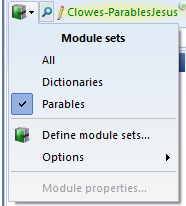
Here click the Options (for using an Image or a Color).
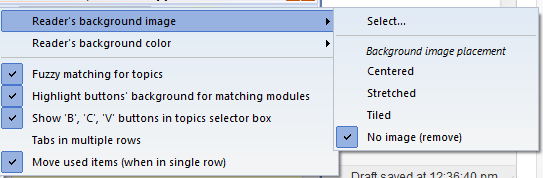
Click on the “Select…” option and then select an image from your hard drive. If you are using something you found on the Internet, you will need to download it to your hard disk first to now install the image here in “Select…”.
PROBLEMS: If you have don’t see the “Reader’s background image” option, try upgrading your version of TheWord. It is probably older.
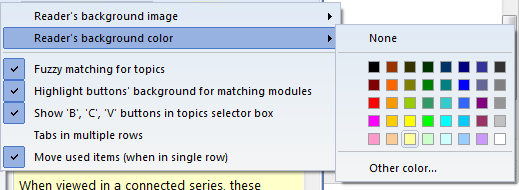
Both of these options are pretty straight-forward. (Note that I set the color first with still shows on the left hand topics list, then the background image.)
Here are some examples… Enjoy!
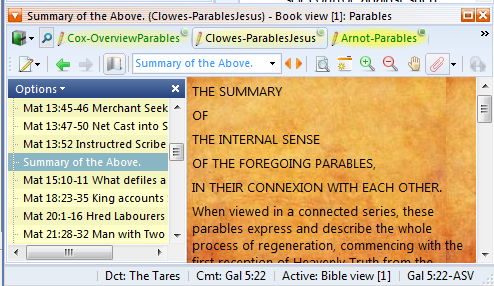
Download the background image here (Right Click on Image and save to your hard disk, and then install with instructions above):

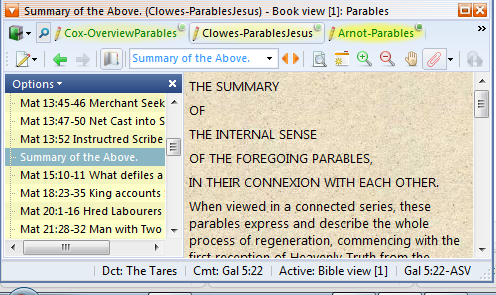

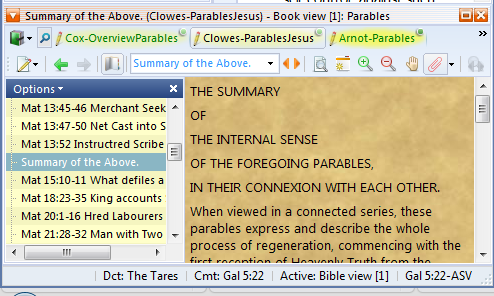

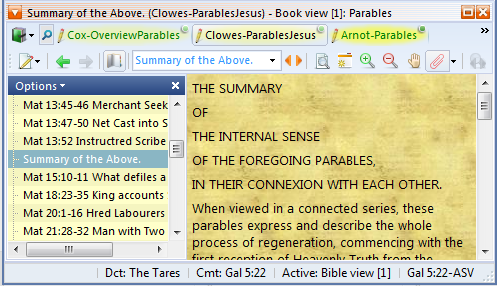

Here are some more http://www.allfreebackgrounds.com/background_select.html
[wpfilebase tag=file id=49 /]